Strum Your First Chord
What Is a Chord?
A chord is when you press down multiple strings and strum them all at once to create a fuller, richer sound. Most guitar songs are built around strumming chords, so getting your first one right is a big step forward.
How to Read a Chord Diagram
A chord diagram shows you exactly where to place your fingers on the fretboard. B.Click has built-in chord diagrams you can check anytime while practicing.
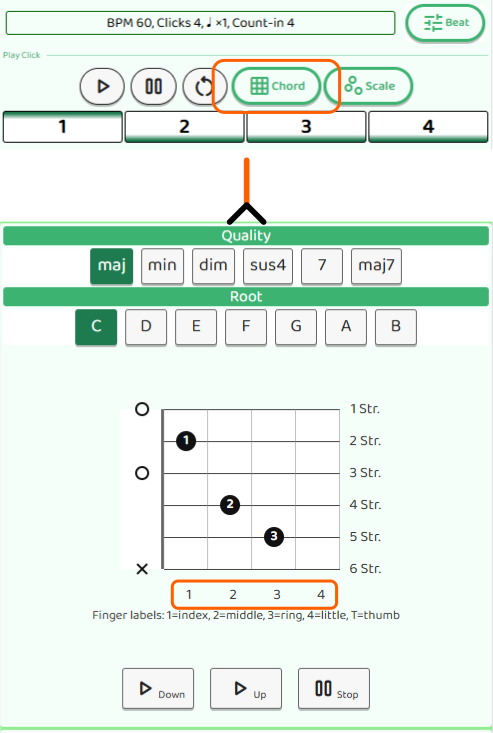
In the chord screen, select a chord type (like “maj” or “min”) and a note name (like “C”, “D”, or “E”) to display the diagram for that chord.
Here’s what the symbols mean:
- Filled dot (●): Press this string at this fret
- × (X): Don’t strum this string — you can lightly rest a finger on it to mute it, but don’t include it in your strum
- ○ (O): Play this string open — don’t fret it, and make sure no finger is accidentally touching it
The numbers shown at the bottom of the chord diagram indicate the guitar’s fret numbers.
Note that B.Click doesn’t include every possible chord. If a chord isn’t available, look it up in a chord chart elsewhere.
How to Hold the Neck
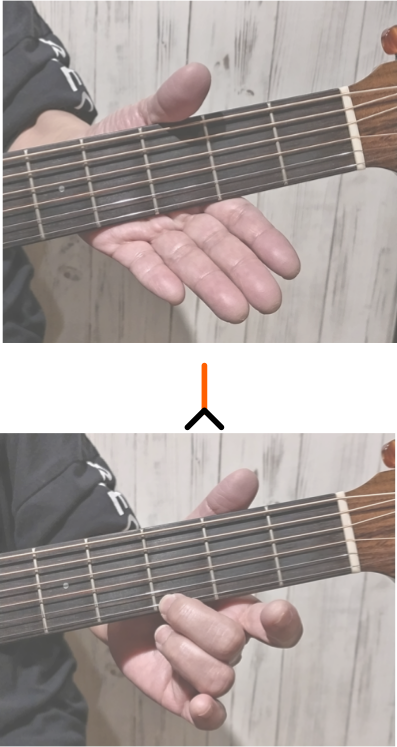
Grip the neck with your hand and press the strings with your fingertips just behind the fret. That said, don’t squeeze too hard — the goal is to press the strings cleanly, not to grip tightly.
In the example below, the middle finger is pressing the 1st string at the 3rd fret. The exact strings and frets will change depending on the chord.
Try the Em Chord
The Em chord (E minor) is one of the best chords to start with — you only need to press down two strings.
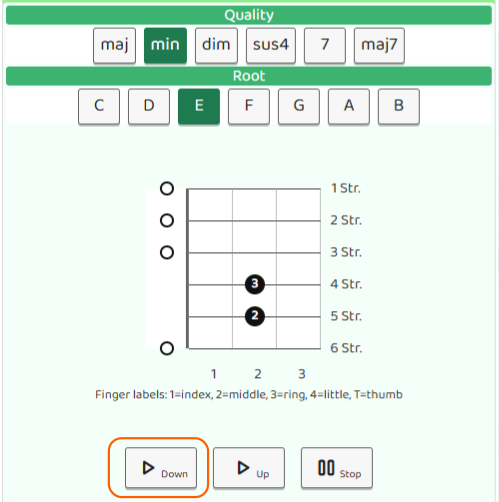
- Place your middle finger on the 5th string at the 2nd fret
- Place your ring finger on the 4th string at the 2nd fret
Strumming is typically done with a pick. Hold the pick lightly between your thumb and index finger.
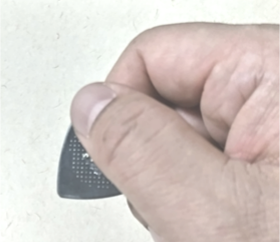
A downstroke means sweeping the pick downward across the strings. Strum all six strings with a smooth downstroke. If every string rings out clearly, you’ve nailed it!
Tap the “▷Down” button in the chord diagram screen to hear each string played one by one. Compare the sound to your guitar — if they match, you’re good!
If you want to check the pitch more precisely, use the tuner and pluck each string individually.
If something sounds off, check the following:
- Are your fingers pressing just behind the fret? Too far back often causes an unwanted buzz.
- Are your fingers accidentally touching an adjacent string? Even light contact with a neighbouring string will mute it.